
Lead Time Calculator
Free Lead Time Generator for Days, Weeks, and Dates
Enter your order date and lead time below. The calculator supports calendar days, business days, working days, and holiday exclusions to give you an accurate delivery date.
Configure Parameters
Enter lead time stages below
Ready to Calculate
Enter your order date and stage durations to see a detailed lead time breakdown with estimated delivery dates.
How to Use the Lead Time Generator
Four steps to generate lead time instantly and estimate delivery and completion dates.
How to Calculate Lead Time
The lead time formula is a sum of every stage from order placement to final delivery. Each part of the formula accounts for a distinct phase in the process.
Lead Time Calculation Formula
Total Lead Time = Processing + Production + Transit + Customs + Receiving + Buffer
Lead Time Calculation Example
A clothing manufacturer in New York places an order for fabric with a supplier in Mumbai on January 2. Here is how the lead time breaks down:
The estimated delivery date falls on February 10. If you exclude weekends (business days only), the same order spans roughly 53 calendar days.
What is Lead Time Calculation?
Lead time calculation is the process of measuring the total elapsed time between placing an order and receiving the goods. It tells you how many days, weeks, or business days a process takes from start to finish.
The lead time formula in days is: Lead Time = Delivery Date - Order Date. When you need to exclude non-working days, you convert to business days by subtracting weekends and holidays from the total count.
Calculating lead time matters for inventory management, production planning, demand forecasting, and order fulfillment. A lead time calculator automates this process and handles the date math — including business days, working days, and holiday adjustments — so you get a reliable delivery estimate every time.
Lead Time Generator for Business Days and Working Days
Calendar days, business days, and working days each produce a different delivery estimate. See how switching modes changes your lead time count.
Lead time calculator working days
Working days typically mean Monday through Friday. When you toggle the lead time calculator to working days, it skips Saturdays and Sundays. A 10-working-day lead time actually spans 14 calendar days. This mode fits most office-based procurement and order fulfillment workflows.
Lead time calculator business days
Business days and working days often mean the same thing — weekdays only. Some industries define business days differently (for example, logistics companies may operate six days a week). This lead time generator defaults to a five-day business week, but you can adjust the calculation by adding or removing days from the count.
Lead time calculator with holidays
Holidays add another layer of accuracy. If your supplier shuts down for a national holiday, that day should not count as a working day in your lead time. Add holiday dates to the calculator, and it will skip them just like weekends. This is especially useful around Christmas, Eid, Chinese New Year, or any regional shutdown period.
Lead Time Conversion: Weeks to Days
Suppliers often quote lead times in weeks. Your planning system might need days. Use this conversion to switch between them instantly.
Lead Time Calculator Weeks to Days
3
Weeks
21
Calendar days
15
Business days
Lead Time Conversion Calculator
Many suppliers and manufacturers quote lead times in weeks, but your production schedule or ERP system uses days. Converting manually works for one-off checks, but it gets tedious when you handle dozens of purchase orders. A lead time conversion calculator does the math instantly — just enter weeks and read the result in both calendar days and business days.
Online Conversion Lead Time Calculator
This online conversion lead time calculator runs in your browser with no downloads or logins. It converts weeks to days, accounts for weekends automatically, and shows you three views: weeks, calendar days, and business days. That way you always know exactly how long your order will take — no matter what unit your supplier uses.
Why Convert Lead Time from Weeks to Days?
A "3-week lead time" could mean 21 calendar days or 15 business days. The difference matters when you set reorder points, schedule production runs, or promise delivery dates to customers. Always clarify whether your supplier means calendar weeks or working weeks, then use the lead time date calculator to find your actual delivery date.
Lead Time Generator for Shipping, Manufacturing, and Supply Chain
Lead time applies across every industry. Select an industry below to see typical stages and durations.
Manufacturing Lead Time Calculator
Total: 23 days typical lead time
Manufacturing lead time covers raw material procurement, production scheduling, assembly, quality checks, and shipping. Use the manufacturing lead time calculator to plan material arrivals so they align with production runs. This helps avoid line stoppages and excess raw material inventory.
Why Lead Time Matters in Planning and Delivery
Lead time affects every downstream decision — from inventory levels to customer satisfaction.
improvement in on-time delivery
Better delivery forecasting
When you know your lead time, you can tell customers exactly when to expect their order. No more guessing. A lead time calculator turns vague estimates into reliable delivery dates based on real data — start date, shipping mode, and business days.
reduction in excess stock
Improved inventory planning
Accurate lead time feeds directly into reorder point calculations. When you know it takes 14 business days to restock, you can set your reorder trigger at the right level. This prevents both stockouts and excess inventory, reducing carrying costs.
fewer production delays
Stronger production scheduling
Manufacturers rely on lead time data to schedule production runs. If raw materials arrive late, the entire production line stalls. A manufacturing lead time calculator shows when materials will land, so you can align production schedules with actual supply timing.
savings on rush orders
More accurate procurement decisions
Procurement teams compare suppliers partly on lead time. A supplier with a 10-day lead time may cost more but arrives before a 25-day supplier. Use a procurement lead time calculator to model these trade-offs and make smarter purchasing decisions.
Lead Time vs Cycle Time
Lead time and cycle time are related but they measure different things. Here is a clear breakdown of each.
Visual comparison — hover or tap to highlight
Cycle time is a subset of lead time. Lead time includes everything; cycle time only measures active work.
Lead Time
Total time from when a customer places an order to when they receive the product.
Customer / Buyer
End-to-end
You order a laptop on Monday. It ships Wednesday and arrives Friday. Lead time = 5 days (Monday to Friday).
Cycle Time
Time to complete one unit of work from the start of active processing to the end.
Producer / Operator
Single process step
The factory assembles the laptop in 4 hours. Cycle time = 4 hours. But total lead time is still 5 days.
Is lead time cycle time?
No. Lead time includes the entire duration from order placement to delivery. Cycle time only measures the active processing portion. A factory might have a cycle time of 2 hours per unit, but the lead time from order to delivery could be 3 weeks because of waiting, shipping, and inspection stages.
What is the difference between lead time and cycle time?
The difference is scope. Lead time covers the full journey — from order to receipt. Cycle time covers a single production step. Think of lead time as the customer's view and cycle time as the operator's view. When you optimize cycle time, you shorten one part of the lead time. But lead time also includes waiting, transport, and inspection — none of which cycle time measures.
Lead Time Generator in Excel
Some teams prefer Excel for lead time calculations. Others want a ready-to-use web tool. Both work — here is when to use each.
Lead Time Calculator in Excel
In Excel, a basic lead time calculation uses =Start_Date + Lead_Days. For business days, use =WORKDAY(Start_Date, Lead_Days). To exclude holidays, add a holiday range: =WORKDAY(Start_Date, Lead_Days, Holidays).
Excel works well when you already track orders in a spreadsheet and want to calculate lead time alongside other data. It gives you full control over formulas and lets you build custom lead time reports.
Download Excel Template
Includes ready-to-use Excel formulas for calendar days and WORKDAY.
Lead Time Calculator Online
This online lead time calculator does the same math without any setup. Enter a start date, select days or weeks, toggle business days, add holidays, and get an instant result. No formulas to write, no spreadsheet to manage.
Use the web calculator when you need a quick estimate, when you are on mobile, or when you want to show a colleague a delivery date without sharing a spreadsheet.
Lead time calculators for every workflow
Pick the version built for your use case — working days, weeks, manufacturing, procurement, freight and more.
Guides on lead time and inventory planning
Formulas, worked examples and practical methods for planning teams.
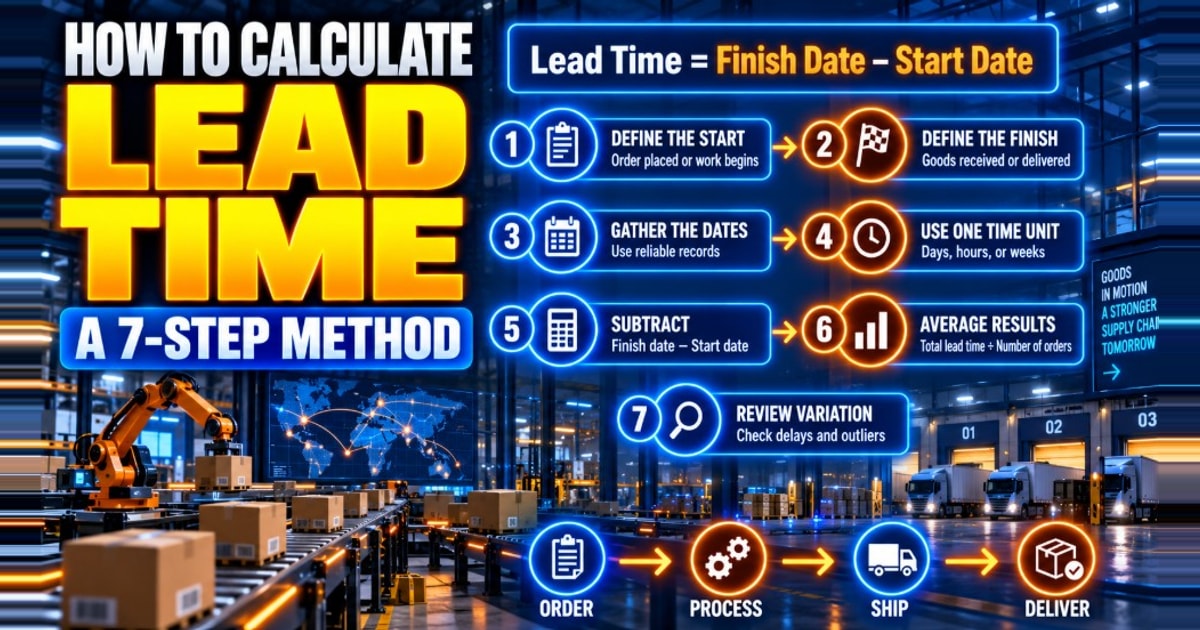
How to Calculate Lead Time: A 7-Step Method
A repeatable procedure for calculating lead time from order records, including the buffer that turns an average into a figure you can actually plan against.
12 min read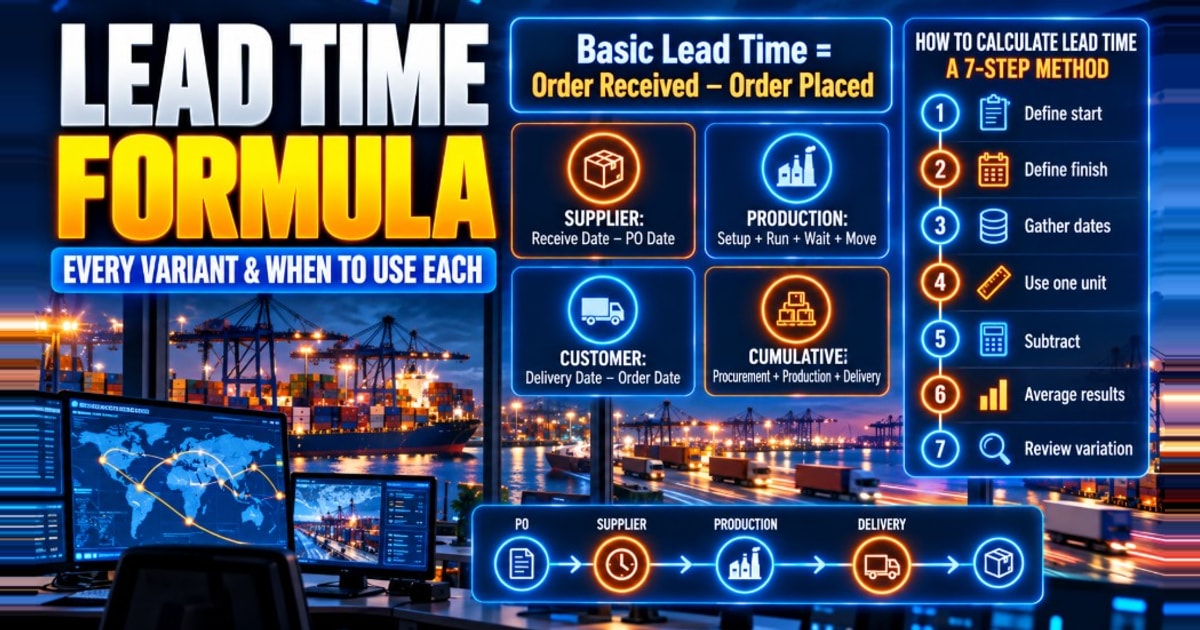
Lead Time Formula: Every Variant and When to Use Each
Six lead time formulas, one worked order run through all of them, and the three errors that make the arithmetic return a confident wrong answer.
13 min read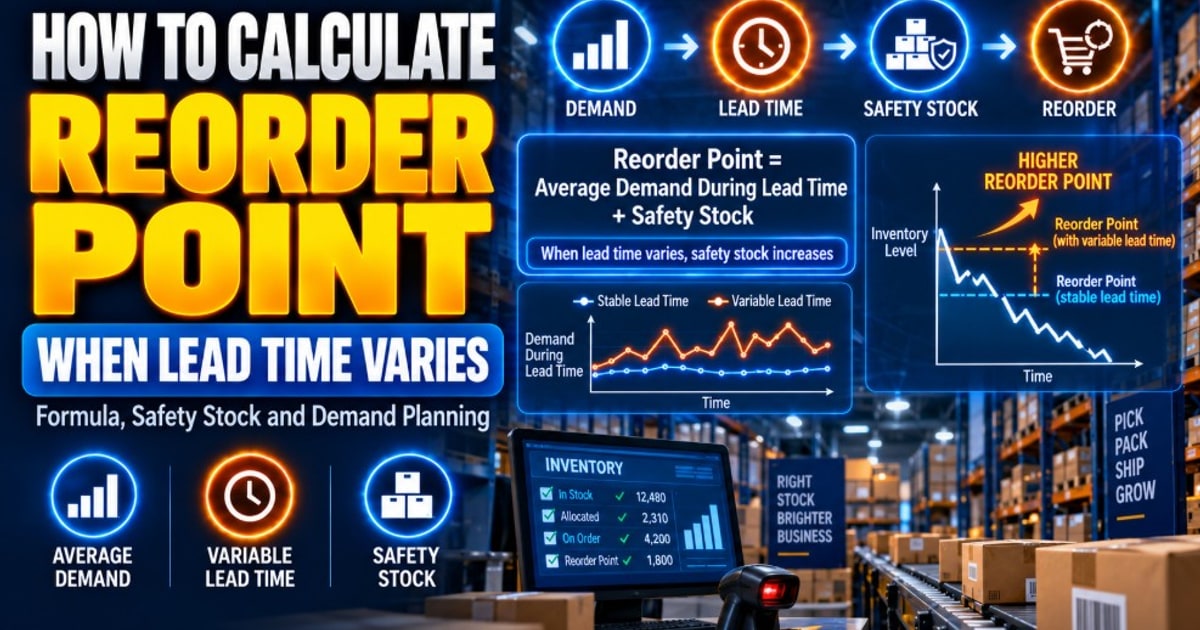
How to Calculate Reorder Point When Lead Time Varies
The reorder point formula with variable lead time, four variants compared on one data set, a 7-step procedure, a 2,838-unit worked example and a validation pass.
34 min read
How Lead Time Variance Inflates Safety Stock
Lead time variance holds 96.9% of the safety stock radical. The combined formula, a worked two-scenario comparison, sensitivity tables and a dominance test.
31 min readFrequently Asked Questions
Common questions about the lead time calculator, lead time formula, and delivery estimates.